Do you need a new mouse but the moment you started looking you found yourself facing dozens of models with technical specs that read like a foreign language? DPI, polling rate, optical or laser sensor, wired or wireless: figuring out which mouse to choose isn’t as complicated as it looks, but it does take some basic knowledge to avoid a bad purchase.
First things first: what do you actually need it for?
The most important question to ask yourself isn’t “which mouse is the best,” but what do you really need it for. The market today is highly specialized, and a mouse built for gaming has very different characteristics from one designed for office productivity or for people who travel a lot.
Wired or wireless mouse?
Until a few years ago the choice was fairly simple: a cable guaranteed zero latency and maximum reliability, while wireless was convenient but less responsive. Today that gap has practically disappeared, especially in mid-range and high-end models.
Wireless mice split into two categories based on how they connect. Those with Bluetooth don’t use up a USB port and work with any compatible device. Those with a 2.4 GHz USB receiver sacrifice a port but offer a more stable signal and more consistent response times.
Shape, size, and grip
The shape of a mouse is often the aspect that affects comfort the most during extended use, yet it’s one of the least considered factors when buying.
There are three main grip styles. Palm grip has the whole hand resting on the mouse: it’s the most relaxed and suited to long sessions. Fingertip grip uses only the fingers to control the mouse: it offers more agility but less support. Claw grip is a middle ground between the two.
Many manufacturers today also offer ergonomic mice with a vertical structure, which keep the wrist in a more natural position and reduce strain on the forearm.
The best models for every need
Cheap, compact mice for everyday use

The Logitech M185 is one of the best-selling wireless mice around. Compact ambidextrous design, 2.4 GHz connection with a mini USB receiver, 1,000 DPI optical tracking, and up to 12 months of battery life on a single AA battery. A solid, no-frills choice.

About as bare-bones a wired option as it gets: three buttons, 1,000 DPI optical tracking, a 1.5-meter cable, and plug-and-play USB connection. If you need something functional without any complexity, this is the starting point.
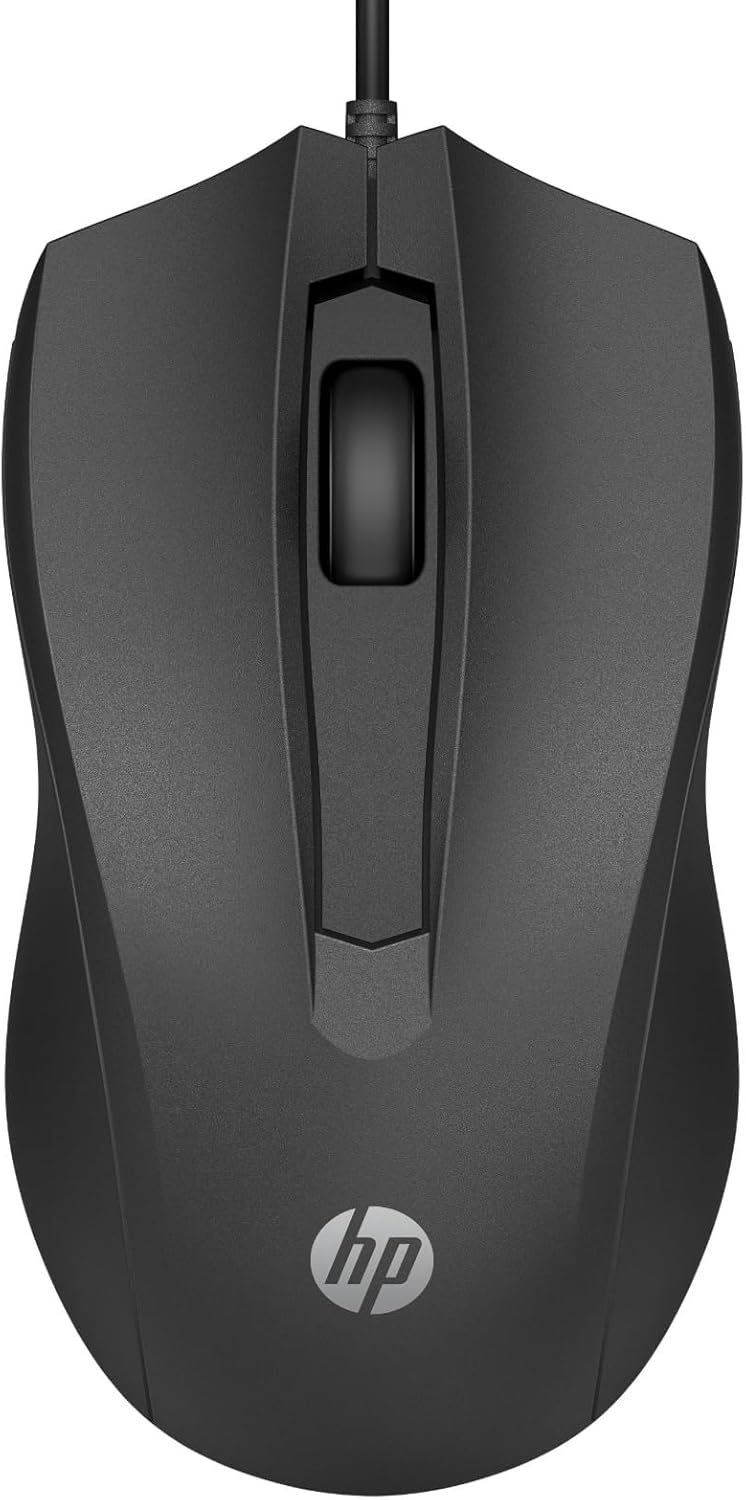
A solid wired alternative: 1,600 DPI optical sensor, ambidextrous design with three buttons and a scroll wheel. Ideal for anyone who’d rather avoid batteries and charging altogether.
Quiet wireless mice

Built for people working in shared spaces who don’t want to bother anyone with clicking noises. Made from 83% recycled materials, with adjustable DPI between 800 and 1,600.

An interesting choice for anyone looking for a slim, portable rechargeable wireless mouse: built-in battery rechargeable via micro USB (up to 30 days on one hour of charging) and silent clicks under 30 dB.
Wireless mice with more features

A more full-featured product than the base versions: five adjustable DPI levels (600-3600), an optical sensor that works on glass too, and an AES-128 encrypted connection.

Shaped grip for the right hand, six buttons including forward/back, DPI adjustable across three levels with an LED indicator that also flags a low battery.
Vertical ergonomic mice

Vertical design with a 57° angle that keeps the wrist in a neutral position. Made from 70% recycled plastic, with a rechargeable battery: five minutes of charging for eight hours of use.

A vertical mouse that connects to three devices at once via Bluetooth or a USB receiver, with quick switching between them.
For Apple users

A category of its own: the top surface is a completely smooth Multi-Touch panel that lets you scroll and navigate with finger gestures, with no mechanical scroll wheel. The natural companion for Mac and iPad.
How many buttons do you really need?
Almost every mouse has at least a left click, a right click, and a scroll wheel. But the right question isn’t how many buttons a mouse has, but how many you actually use. For everyday use, four to six buttons are more than enough. For gaming or specific professional applications, more programmable buttons can make a real difference.
In summary
For everyday use, a quiet mid-range wireless mouse is almost always the winning choice. If you spend a lot of hours at the computer and deal with wrist fatigue, it’s worth considering a vertical ergonomic model. If you’re in the Apple ecosystem, the Magic Mouse is hard to beat for integration and smoothness.