For office use, a mouse doesn’t just need to work: it needs to last, stay comfortable through hours of continuous use, and — if you work in a shared space — not annoy the people around you with click noise. We compared six mice that address different needs, from the reliable classic to models built with wrist health in mind.
Logitech M185: the most reliable and universal
The Logitech M185 is the timeless classic: up to 12 months of battery life on a single AA battery, a stable 2.4GHz wireless connection, and plug-and-play compatibility with Windows, Mac, and Linux with no drivers needed. The compact, ambidextrous design suits anyone, left-handed users included. It doesn’t have any standout features, but it’s exactly the kind of product that never disappoints — the right pick if you’re not sure what to choose.

Trust Yuki: best for quiet open-plan offices
Anyone working in a shared office knows the problem: click noise adding up when several people are in the room. The Trust Yuki solves it with silent clicks designed specifically for this scenario, while still offering adjustable DPI from 800 to 1600 to suit different screens. It’s made from 83% recycled materials and offers up to 12 months of battery life, at a light 84 grams.

Trust Yuno: best for wrist health
Spending eight hours a day with a traditional mouse can strain your wrist over time. The Trust Yuno tackles this with a 57° vertical design, which keeps your forearm in a more natural position and reduces strain. Charging is surprisingly fast: 5 minutes of charge is good for about 8 hours of use. It takes a few days to adjust to the vertical grip, but anyone dealing with wrist discomfort will find the switch worthwhile.

ProtoArc EM11: most versatile for switching between devices
Anyone working across multiple computers in the same day — a personal laptop, an office desktop, maybe a tablet — will appreciate the ProtoArc EM11’s ability to connect to 3 devices at once, switching between them without having to re-pair over Bluetooth each time. This model also has a vertical design with silent clicks and a 500 mAh rechargeable battery. The one drawback: the forward/back buttons don’t work on Mac.

Apple Magic Mouse: best for the Mac ecosystem
For anyone working exclusively on a Mac, the Apple Magic Mouse remains the most natural choice thanks to its Multi-Touch surface, which enables swipe gestures identical to those on a trackpad — switching spaces, two-finger scrolling, all natively integrated into macOS. The symmetrical, ambidextrous design and USB-C charging round out the package. Anyone coming from a traditional mouse with a physical scroll wheel will need an adjustment period.

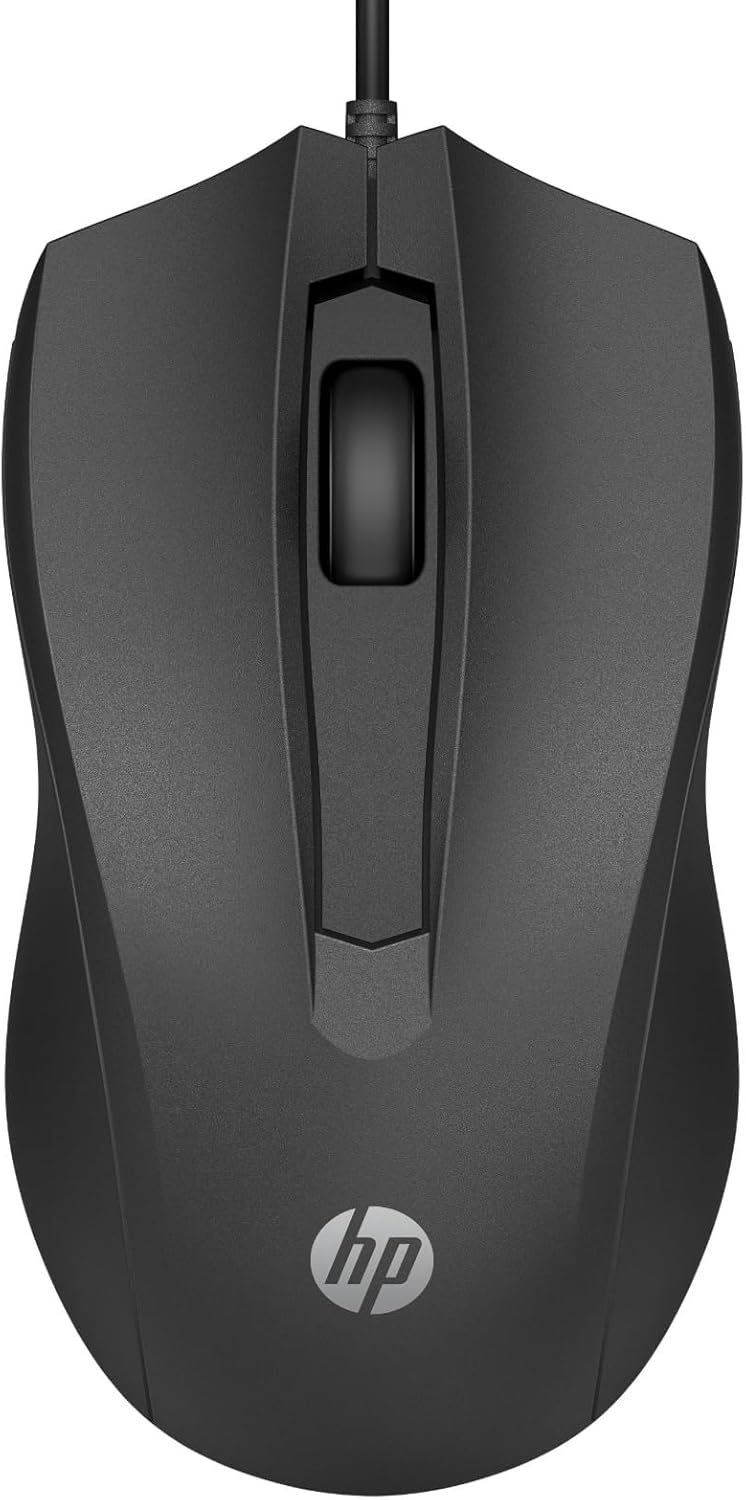
HP 100: the cheapest and most hassle-free
For an extra desk, a meeting room, or simply anyone who doesn’t want to think about swapping batteries, the HP 100 is the most straightforward option: wired, with a 1600 DPI optical sensor and an understated design that fits in anywhere without drawing attention. It doesn’t have advanced features, but it does exactly what it needs to at the lowest price in the ranking.
Bottom line
There’s no single “perfect” office mouse for everyone: the Logitech M185 is the safe choice if you don’t have specific needs, the Trust Yuno or the ProtoArc EM11 are worth it if you spend many hours at the computer and want to protect your wrist, the Trust Yuki is ideal in a quiet open-plan office, the Apple Magic Mouse is nearly a given for anyone living in the Mac ecosystem, and the HP 100 remains the most affordable option for anyone who just wants the essentials.