Have you decided to buy a desktop computer, but the moment you start looking at spec sheets you’re hit with a wall of acronyms — CPU, GPU, DDR5, NVMe — that seem designed to confuse? You’re not alone. The good news is that choosing the right PC is simpler than it looks, as long as you start from the right question: not “which computer is the best,” but “what do I actually need it for.”
First things first: what will you use it for?
The prebuilt desktop market today covers very different scenarios. Some people just need a machine for browsing, checking email, and watching the occasional video: here a modest processor, 8 GB of RAM, and a good SSD are more than enough, and the graphics built into the processor work just fine. Others need a computer for office work with several applications open at once: here it’s worth stepping up to at least 16 GB of RAM and a processor with a few more cores. And then there are people who want to game or work with graphics and video: here the dedicated graphics card becomes the main line item in the budget.
The components that actually matter
The processor is the brain of the system: the more cores it has and the higher its clock speed (measured in GHz), the faster it handles calculations. Intel and AMD remain the two reference makers on the x86 architecture, with families ranging from entry-level (Intel Core i3, AMD Ryzen 3) to the high end (Intel Core i9, AMD Ryzen 9).
The graphics card mainly matters for gaming and heavy graphics work: for office or media use, the graphics integrated into the processor are enough and save you quite a bit of money. If you game, though, the advice is to put most of your budget there, while making sure an underpowered CPU or too little RAM doesn’t become a bottleneck that limits real-world performance.
For RAM, the rule of thumb is simple: 8 GB for essential use, 16 GB for work and everyday multitasking, 32 GB if you game, stream, or work with creative software. And for storage, an SSD (NVMe ideally, faster than traditional SATA) is nearly always the right choice today: the difference in boot and load times compared to a mechanical hard drive is very noticeable.
Don’t underestimate the power supply, either: it’s the component that feeds electricity to the whole system, and it should be sized to match the rest of the configuration. A 450-500W unit may be enough for a PC without a powerful dedicated GPU, but with modern graphics cards or future upgrades in mind, it’s better to aim for 650-750W.
Which form factor to choose
The classic tower case remains the most flexible option: easy to upgrade over time, with room for cooling and extra components. If desk space is tight, a mini-PC or an all-in-one PC (where everything is built into the monitor, like the famous Apple iMac) cuts down on bulk, but limits — sometimes entirely — future hardware upgrades. Anyone chasing absolute silence can look at fanless solutions instead.
The best prebuilt desktop PCs for every need
For work and everyday productivity

The Ankermann Business Gaming V3 is built for anyone who wants a versatile system, equally capable of handling office work and the occasional gaming session in their free time. A Ryzen 5 5500, 16 GB of RAM, and a 1 TB NVMe SSD cover both scenarios well, with a clean Windows 11 Pro install and LibreOffice included.
Accessible gaming

The Nuwo Boss Battle relies on a dedicated 8 GB Radeon RX 5500 GPU, enough for the most popular competitive titles (Fortnite, League of Legends, CS2) at Full HD, in a compact case that’s easy to fit into any setup.

The Betazon Gaming Desktop PC is a solid compromise for anyone who wants a versatile system with plenty of RAM (32 GB) and generous storage, even if its older graphics card is better suited to lighter titles.

The Ankermann Radiant Gaming V3 pairs its RTX 5060 with a 24” Full HD monitor and a wireless keyboard: a complete package for anyone starting from scratch who wants to game at Full HD without buying anything else.
Balanced gaming and productivity

The HYPER BYTE Basic Gaming PC leans on 32 GB of RAM and quiet liquid cooling, with a platform already set up for adding a dedicated GPU down the line: start with integrated graphics and upgrade whenever you’re ready.

The Beastcom Q3 Essential is hand-assembled and tested, with 32 GB of RAM that make it well suited to light photo editing and video work too, on top of esports and lighter titles.

The MSI MAG Infinite E1 pairs a Core i5-14400F with an RTX 5060, plus DDR5 RAM and a Gen4 NVMe SSD: a responsive platform for anyone who wants to play current titles at high detail in Full HD and QHD.
High-end gaming and content creation
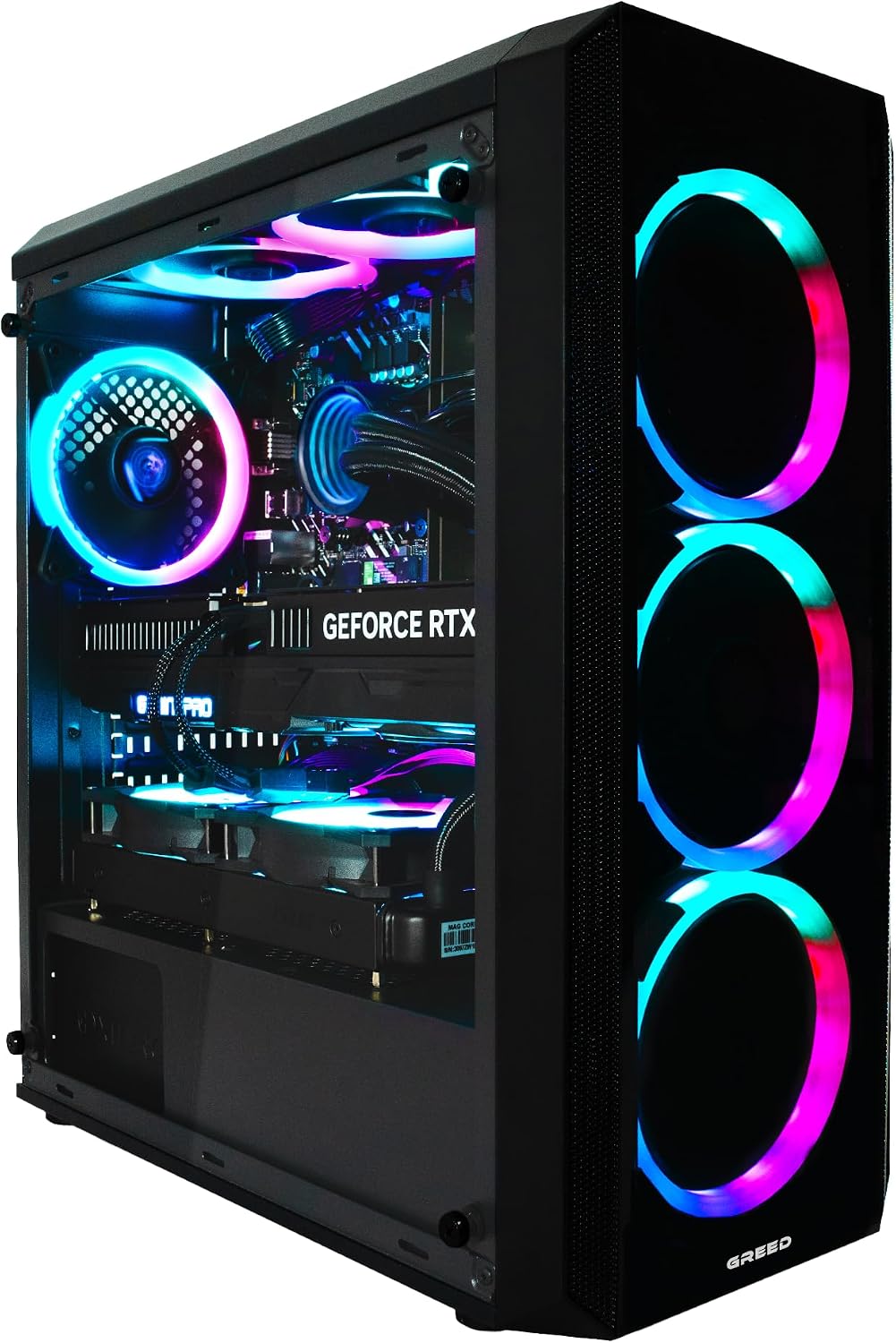
The Greed MK2 4K pairs a Ryzen 7 5700X with an RTX 5060, in an RGB case with quiet cooling: suited to gaming as well as streaming and multimedia content creation.

The Romagna RC11-G packs a 16-core Core i9-12900KF alongside a 16 GB RTX 5060Ti: a combination built for anyone gaming at Full HD/2K with high detail settings who also does advanced photo and video editing.

The HP Omen 16L rounds out the lineup with a 20-core Core i7-14700 and an RTX 5060 with AI acceleration, plus 3 months of PC Game Pass included: a machine ready for the latest titles and creative workloads alike.
In summary
Always start from “what do I need it for,” not from the flashiest component name. For office work, a balanced system with 16 GB of RAM and a good SSD is more than enough. For gaming, put your budget into the graphics card without neglecting the rest of the build. And if desk space is tight, consider a mini-PC or an all-in-one, accepting less room for future upgrades in exchange.